
How to Transfer USDT from Binance to Another Exchange and Withdraw to Bank Account

If you are holding USDT on Binance and need to move funds to another trading platform or cash out to your bank account, understanding the correct transfer and withdrawal process is essential. This guide explains the key steps, from initiating a USDT transfer out of Binance to completing a withdrawal on a different exchange.
First, log into your Binance account and navigate to the "Wallet" section. Click on "Spot" and then select "Withdraw." In the coin field, choose USDT. You will need to enter the recipient address, which you must copy from the deposit section of your target exchange. Always double-check that you are selecting the correct network—such as TRC20, ERC20, or BEP20—because using the wrong network can result in lost funds. The network you choose must match both on Binance and on the receiving exchange.
Once you have entered the withdrawal address and selected the correct network, specify the amount of USDT you wish to transfer. Binance will display the network fee, which varies depending on the blockchain you choose. For example, TRC20 usually has lower fees than ERC20. After confirming the details, complete the security verification steps, which may include email confirmation and two-factor authentication.
After the transfer is initiated, the transaction will appear on the blockchain. The speed of arrival depends on network congestion. USDT transfers on the TRC20 network typically complete within minutes, while ERC20 may take longer. You can track the status using the transaction hash provided by Binance.
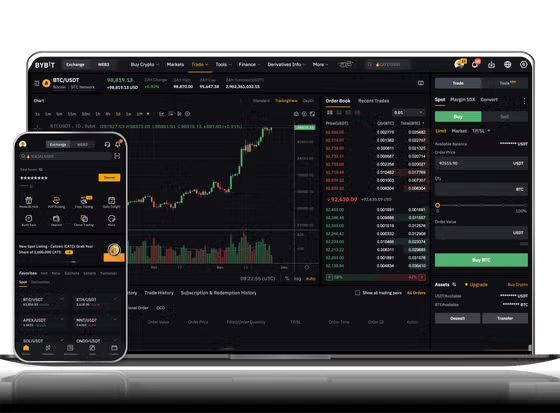
Once the USDT arrives in your other exchange wallet, you can then proceed to withdraw it as fiat currency. Go to the "Withdraw" section of that exchange and select USDT. Choose "Fiat Withdrawal" or "Sell" option, depending on the platform. You will need to sell your USDT for your local currency—such as USD, EUR, or others—if the exchange supports direct fiat withdrawals. After the sale, the fiat balance will be available.
Next, add your bank account details to the withdrawal page. Most exchanges require bank account verification, which may include providing your bank name, account number, and sometimes a proof of address. Enter the amount you want to withdraw and submit the request. The processing time for fiat withdrawals varies from a few hours to several business days, depending on the exchange and your bank.
Important security tips: Always verify the withdrawal address before confirming. Use two-factor authentication on all exchanges. For large amounts, test with a small transfer first. Also, be aware that some exchanges have minimum withdrawal limits and daily withdrawal caps. Keeping your funds secure is the top priority throughout the entire process.
In summary, transferring USDT from Binance to another exchange requires careful selection of the correct network and address. Once the transfer is confirmed, you can sell the USDT for fiat currency and withdraw to your bank account. By following these steps, you can efficiently move and cash out your digital assets.


发表评论